Showing posts with label ICT. Show all posts
20 February 2015
Updated Apps!
Check out the pages on the left side of the blog to see some new, updated app lists. These apps are used in various curriculum areas across the whole of the school!
We are constantly researching and updating the apps installed on our iPads. If you have any suggestions for apps that would improve teaching and learning, feel free to let me know!
Vicki Doamekpor
2 February 2015
Visual Representation Portfolios - Year 3
During their Visual Representations topic, the Year 3 children have been learning all about digital portfolios. They used Google Slides to create their own digital portfolio of work to share with their parents during Student Led Conferences.
During this project, the children learnt so many new ICT skills and had plenty of opportunities to practice skills they already knew. Here is a (very long) list of skills they used during this topic:
- Creating a Google Slide Presentation
- Choosing a slide layout
- Choosing a slide theme
- Inserting text boxes
- Changing font, font colour and size
- Inserting and moving images
- Cropping images
- Rotating images
- Adding slide transitions
- Adding transitions to text and images
- Understanding the different between "on click" and "with or after previous" transitions
PHEW!! That's a lot of skills!!!!!!!
OK - time to look at the results of all this hard work! Here are some example slides taken from a variety of different presentations! I hope you are impressed.
5 January 2015
Happy New Year!!
I hope you had a lovely Christmas holiday!
2015 is an exciting year! We are planning lots of interesting ICT activities this year and I am really looking forward to sharing work with you!
Mrs D
14 October 2014
Year 5 - They have been working with technology I promise!
I was just going through my Blog and I realised I haven't mentioned Year 5 all term!! Now please do not think that I am neglecting Year 5, we have been very busy!!
Firstly, we have been working on Google Drive a lot. Year 5 and 6 each have their own personal Google Drive accounts. All the other year groups have a year group account which is logged on already on the iPads. So the year 5 children have been practicing logging on to their own Google Drive.
We have also been very clever this year and have created a folder specifically to share work with their teacher which allows their teacher to view and print out work.
The next exciting thing is .............
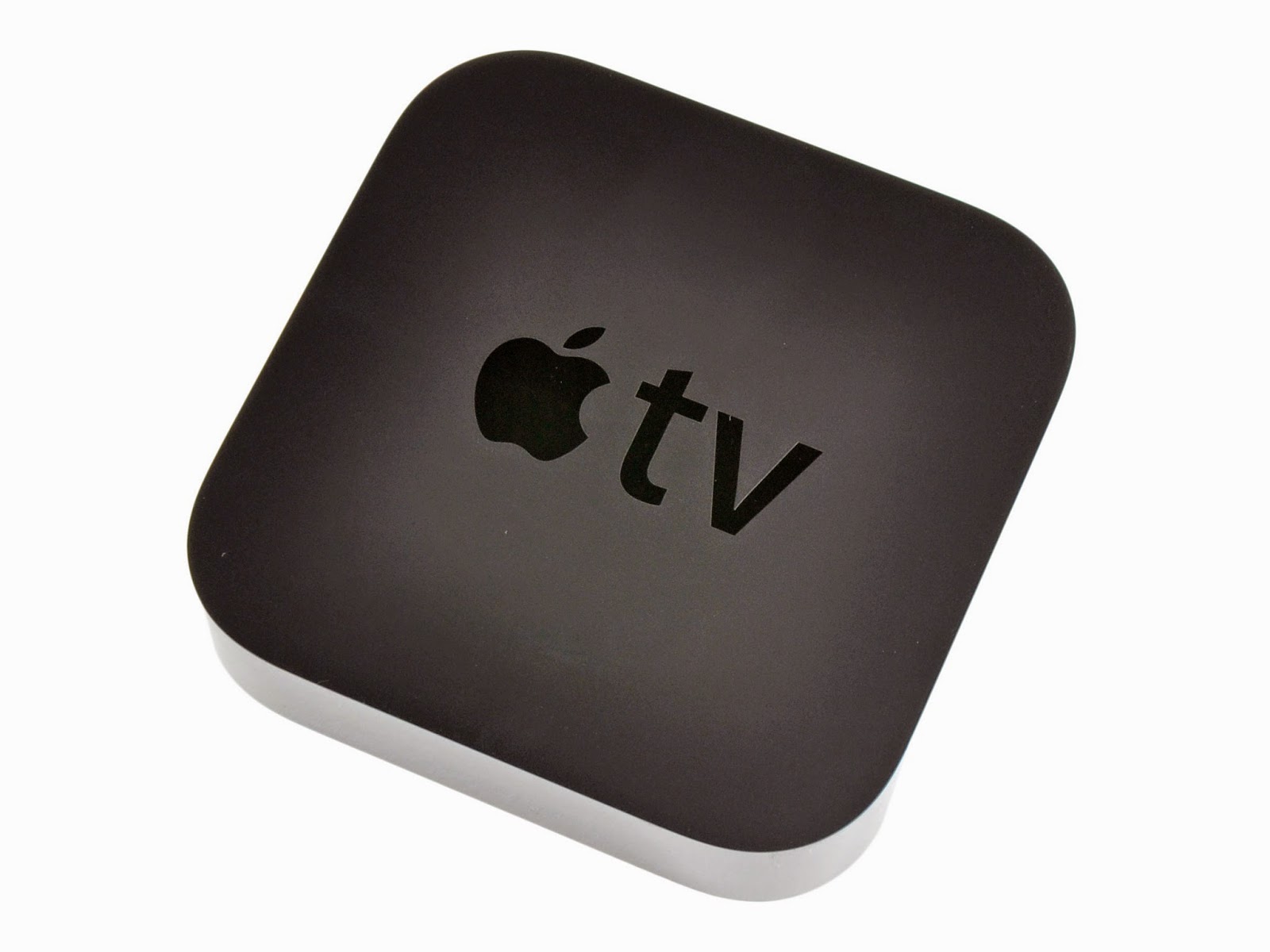
Yeah. We FINALLY have Apple TV in the Year 5 and 6 classrooms which makes teaching with an iPad soooooo much easier and fun! It is great for the children to be able to show their iPad screen on the whiteboard without having to plug it into a cable! It is great for me as a teacher to be able to walk around the classroom with my iPad, giving the iPad to various children, without having to stand at the front of the classroom attached with a cable to the whiteboard!! This tiny little black box has changed my teaching this year. If you haven't got one, and you teach with iPads, you MUST invest in one in your classroom!
And finally, the year 5 children have been working so hard this half term on creating books in the style of the Mr Men series for Language Arts. They have been using the app Book Creator to make these. I am really looking forward to posting some of the finished books so please return soon to look at them!
Firstly, we have been working on Google Drive a lot. Year 5 and 6 each have their own personal Google Drive accounts. All the other year groups have a year group account which is logged on already on the iPads. So the year 5 children have been practicing logging on to their own Google Drive.
We have also been very clever this year and have created a folder specifically to share work with their teacher which allows their teacher to view and print out work.
The next exciting thing is .............
APPLE TV!
Yeah. We FINALLY have Apple TV in the Year 5 and 6 classrooms which makes teaching with an iPad soooooo much easier and fun! It is great for the children to be able to show their iPad screen on the whiteboard without having to plug it into a cable! It is great for me as a teacher to be able to walk around the classroom with my iPad, giving the iPad to various children, without having to stand at the front of the classroom attached with a cable to the whiteboard!! This tiny little black box has changed my teaching this year. If you haven't got one, and you teach with iPads, you MUST invest in one in your classroom!
And finally, the year 5 children have been working so hard this half term on creating books in the style of the Mr Men series for Language Arts. They have been using the app Book Creator to make these. I am really looking forward to posting some of the finished books so please return soon to look at them!
5 December 2013
Google Drive
Google Drive is a "cloud based" storage system. This means, you can save your work "in the clouds" and access it anywhere. You can also use it to create work.
The reason it is great for schools is that you can access it on an iPad as well as school and home computers or laptops.
All children in years 5 and 6 now have access to their personal school Google Drive. To access this, you need the following details:
Write in your school email and password:
Email: 500xxx@ishweb.nl
Password: dd.mm.yyyy
All children in years 2, 3 and 4 have started using the school year group Google Drive. After Easter, year 4 children will be shown their school personal Google Drive.
27 November 2013
Year 2 iPad Apps
Curriculum area apps are shown on the first page of apps. These include apps for areas such as numeracy and literacy. There are also numerous creative apps for story creating, presentations, art and of course lots of educational games! The second page of apps contains apps for the Year 2 IPC topics. This set of apps will increase gradually during the year as the IPC topics are being studied.
We have a third page of apps specifically for the apps that come preinstalled on the iPads and a few teacher apps, but those are not very interesting!
26 November 2013
Year 5 iPad Apps
Here is a look at how we organise our year 5 iPads.
The first page of apps is dedicated to curriculum areas such as numeracy and literacy. We also have a lot of creative apps for story creating, art and of course a few educational games! The second page of apps is related to IPC topics. This set of apps will increase gradually during the year as the IPC topics are being studied.
We have a third page of apps specifically for the apps that come preinstalled on the iPads and a few teacher apps, but those are not very interesting!
The first page of apps is dedicated to curriculum areas such as numeracy and literacy. We also have a lot of creative apps for story creating, art and of course a few educational games! The second page of apps is related to IPC topics. This set of apps will increase gradually during the year as the IPC topics are being studied.
We have a third page of apps specifically for the apps that come preinstalled on the iPads and a few teacher apps, but those are not very interesting!
15 October 2013
ICT: Using the whiteboard
The whiteboard is a great whole class tool. Reception have been learning counting and they have been using the whiteboard to practice their skills.
The children really enjoy using the whiteboard.
Digital Art: Reception draw on the iPads
The reception children have been very creative this morning.
We have been using the iPads to draw some hibernating animals. We used the app Drawing with Carl to do these wonderful drawings.
11 October 2013
Using the Pri-Moodle to share information
The Year 3 children have been getting used to using the Moodle this week.
For their IPC topic Dinosaurs the children have been learning all about Dinosaurs. They used the Moodle to chose their favourite dinosaur and then used the bar chart to discuss the results. It looks like the T Rex is particularly popular!
They also used the Moodle to write down some facts about dinosaurs. They really enjoyed reading each other's facts and commenting on them. Here are a few facts for you.
9 October 2013
ICT: Year 3 Video Conference with a Palaeontologist
ICT isn't just about computers and iPads and Interactive Whiteboards!
Year 3 got to experience Video Conferencing today! They got a chance to meet a real palaeontologist. They linked up by video with Megan from the Royal Tyrrel Museum in Canada. She showed them lots of interesting things and we got to ask her questions too.
2 September 2013
ICT: New apps for the iPads
Each year group now has IPC topic specific apps on their iPads, together with apps for all areas of the curriculum including numeracy and literacy.
If you click on the pages to the left you will find more details of these awesome new apps! I hope the children enjoy using them!
4 September 2012
ICT: Use of whiteboard in class
At ISH, we are integrating the use of ICT in the classrooms.
Each classroom has an interactive whiteboard. In the infants, these are height adjustable allowing the children to use them effectively. They LOVE using them!! It is a great way for collaborative work and engaging the whole class with an activity.
Currently, each class has a set of 6-8 iPads (depending on the number of classes in the yeargroup. These iPads have apps linked to all areas of the curriculum and our hope is this will encourage the integration of ICT into the classrooms and we can begin to move away from structured ICT lessons in the ICT room.
Each classroom has an interactive whiteboard. In the infants, these are height adjustable allowing the children to use them effectively. They LOVE using them!! It is a great way for collaborative work and engaging the whole class with an activity.
Currently, each class has a set of 6-8 iPads (depending on the number of classes in the yeargroup. These iPads have apps linked to all areas of the curriculum and our hope is this will encourage the integration of ICT into the classrooms and we can begin to move away from structured ICT lessons in the ICT room.
3 September 2012
ICT: Welcome to our Blog
We are so excited to have iPads in our classrooms! Each yeargroup will Blog about all the exciting activities, events, schools trips and other things happening in their classrooms.
This ICT Blog will show you all the wonderful ICT related work the yeargroups get up to over the year. We hope you enjoy reading about everything that is happening at ISH.
Subscribe to:
Posts (Atom)