Showing posts with label iPads. Show all posts

14 April 2015

Year 6: Electrical Games


The Year 6 children have been extremely busy designing and creating Electrical Games as part of the their IPC topic. 

This year, as they have their own iPads, they used the app Book Creator to create Interactive eBooks to demonstrate their planning, design and completed game. They worked in groups and incorporated text, photographs, videos and sound to make some wonderful collaborative books. 

Here are some of the finished results saved as videos. 


20 February 2015

Updated Apps!


Check out the pages on the left side of the blog to see some new, updated app lists. These apps are used in various curriculum areas across the whole of the school!

We are constantly researching and updating the apps installed on our iPads. If you have any suggestions for apps that would improve teaching and learning, feel free to let me know!


Vicki Doamekpor

13 February 2015

Timeline 3D App

Timeline 3D 


We have a new app - oooh I love new things!

Years 4 and 5 have been looking at Timelines during their IPC Topics. We used this app to create a 3D interactive timeline to include pictures, videos and information about historic events.

This app really brings timelines to life and the children were particularly excited to see how the 3D side of the app works when presenting their work!

A great feature of this app, is that it automatically puts events into chronological order so children can create their timeline as they are learning about new events. They do not have to wait for the knowledge before starting to create the timeline.

The children are busy working on their timelines and I look forward to sharing some finished ones in the near future.


8 January 2015

Year 6: Mind Mapping on the iPads

The Year 6 children have been coming up with different ways to use their iPads in all areas of the curriculum.

There are many great apps available for educational use and one that is used in the Year 6 classrooms is the mind mapping app SimpleMind.

In Language Arts the children have been looking at Newspapers. They used the app to record details of mind maps in a logical and creative way. Here are some of the final pieces of work they created. 


19 December 2014

Happy Christmas from Year 6!


Here are some Christmas poems written by Year 6 on their iPads to get you in the mood for Christmas!

Enjoy your holiday and see you in 2015!!

Mrs D


7 November 2014

Year 3: Photographs and Word Processing

I have been working with the Year 3 children to practice taking quality photographs using the iPads.

We spoke about what makes a good photograph and what not to do, and came up with a "Do's and Don't list" for each class.

The children then went to the Green Space with their class teachers and used that list to take various photographs. Once all the photographs had been uploaded to the Google Drive, the children used the computers to choose their favourite photograph and write about it.

Here are some of the chosen photographs:


14 October 2014

Year 5 - They have been working with technology I promise!

I was just going through my Blog and I realised I haven't mentioned Year 5 all term!! Now please do not think that I am neglecting Year 5, we have been very busy!!
Firstly, we have been working on Google Drive a lot. Year 5 and 6 each have their own personal Google Drive accounts. All the other year groups have a year group account which is logged on already on the iPads. So the year 5 children have been practicing logging on to their own Google Drive.

We have also been very clever this year and have created a folder specifically to share work with their teacher which allows their teacher to view and print out work.

The next exciting thing is .............

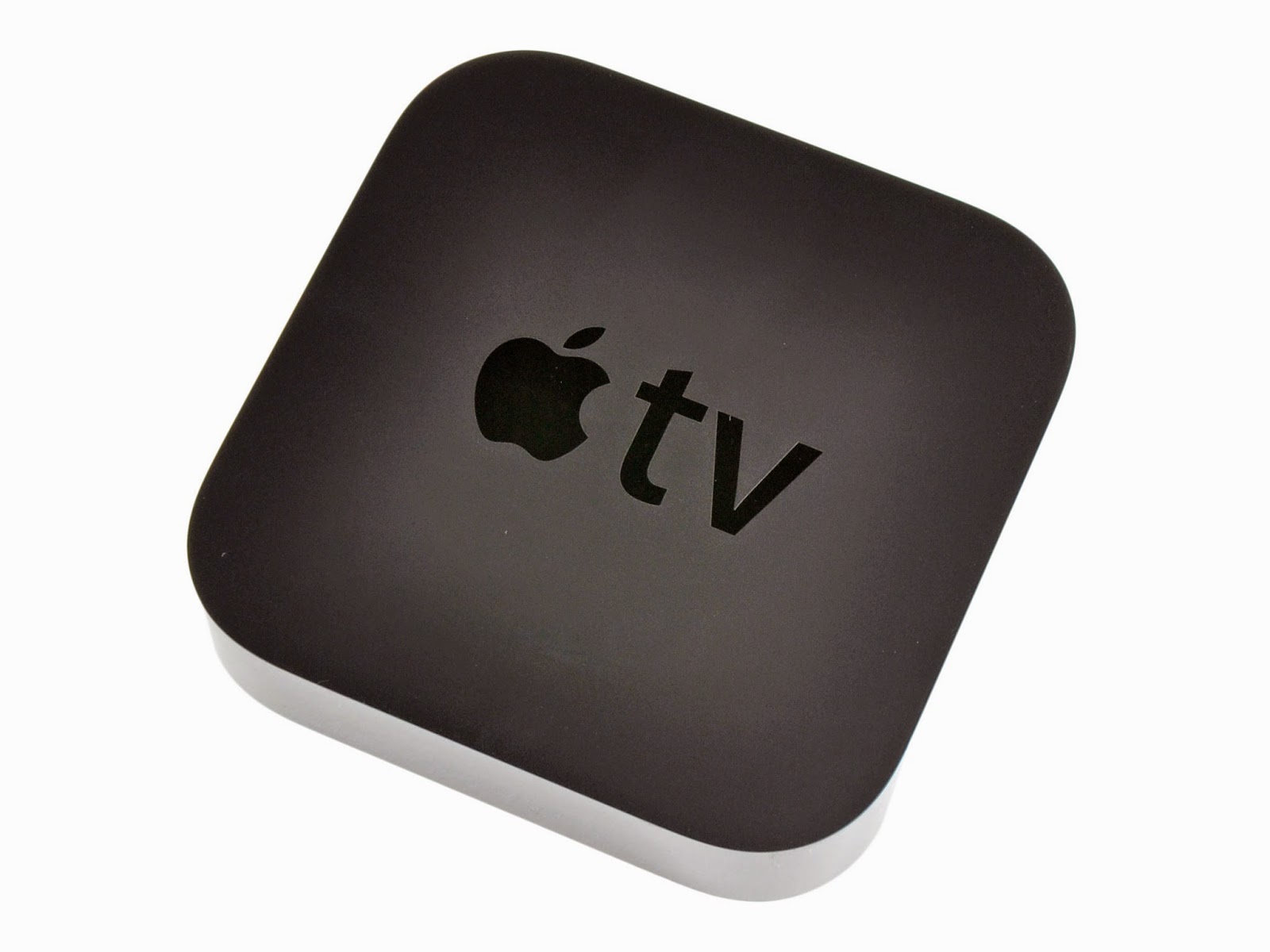
APPLE TV! 

Yeah. We FINALLY have Apple TV in the Year 5 and 6 classrooms which makes teaching with an iPad soooooo much easier and fun! It is great for the children to be able to show their iPad screen on the whiteboard without having to plug it into a cable! It is great for me as a teacher to be able to walk around the classroom with my iPad, giving the iPad to various children, without having to stand at the front of the classroom attached with a cable to the whiteboard!! This tiny little black box has changed my teaching this year. If you haven't got one, and you teach with iPads, you MUST invest in one in your classroom!


And finally, the year 5 children have been working so hard this half term on creating books in the style of the Mr Men series for Language Arts. They have been using the app Book Creator to make these. I am really looking forward to posting some of the finished books so please return soon to look at them!

10 September 2014

1:1 iPads in Year 6


At the beginning of the new term, I was happy to inform you that the Year 6 children embarked on an exciting 1:1 iPad programme this year.

In preparation for an technology filled year, the children filled in a questionnaire to get them to think about how they were going to use the iPads this year. A large proportion of the Year 6 children have an iPad or tablet at home, which is very common nowadays, with at least 70% of all our students owning their own (or the family's own) tablet.

Here are some of the results of the questionnaire: 


When asked about the benefits of having their own iPad to use in the classroom, the following answers were given: 
  • We don't have to share the iPad with anyone 
  • We don't have to wait to use the iPad, we can use it when we want 
  • We don't have to log out of apps and log in with our details (e.g. using Google Drive) 
  • We know where are our work is 
  • We don't lose our work 
When asked which lessons the iPads would be used in, the following answers were given: 
  • Language Arts
  • IPC 
  • ICT 
  • Mother Tongue 
A large proportion of the children said that they would not use their iPads during PE lessons. I guess it's time to talk with the PE teachers to see how we can integrate iPad use in PE lessons!! 

At the end of this term, we will reflect on the answers given to this questionnaire and the children will complete another questionnaire to look at how they were planning on using their iPads, and what they actually used the iPads for. Then they will plan how to use their iPad for the following term. 

2 September 2014

1:1 iPad Programme in Year 6


We are VERY excited to announce the introduction of a 1:1 iPad programme in Year 6. This is the first year we are able to offer an individual iPad to every child in Year 6. The hope from this programme is that ICT will become fully integrated into every area of the Year 6 curriculum.

ICT is becoming more and more important in the lives of our children. They are growing up in an age where ICT is everywhere and as a school, it is our responsibility to ensure they are ready for the future.

We will keep you updated with how things are progressing regarding this programme.

Mrs D

16 July 2014

Mars Rover Video Trailers

iMotion and iMovie app smashup! 


As part of their Mission to Mars IPC topic, the Year 5 children have been learning about Mars Rovers. 

In their ICT lessons, they planned a short Mars Rover video to be taken on the iPads. They then used the app iMotion to take a Stop Motion video of their Mars Rover. Once completed, they imported their finished Stop Motion video into iMovie to create a Mars Rover video trailer. They added pictures from the Internet and text to finalise their trailers.

They thoroughly enjoyed this project and were very proud of their finished projects. Click on the link below to watch a playlist of all the finished trailers!


The children loved using iMotion so much, they went on to produce Stop Motion videos for their assembly for their parents about their school camp. Here is the finished video!

30 June 2014

Year 3 - Rainforest Videos

Rainforest iPad Project

The year 3 classes have been working very hard during the IPC topic Rainforests. 

They have worked in groups to create Rainforest Videos to demonstrate their understanding and learning of various different aspects of Rainforests. 

The knowledge gained from creating these videos include: 
  • Learning and researching about Rainforest Layers
  • Learning and researching about Rainforest Animals 
  • Re-writing knowledge gathered into the 1st person
To create their rainforest videos, they learnt how to use the following iPad apps 
  • Strip Designer
  • Tellagami
  • VideoScribe
  • Morfo Booth
  • iMovie


The children really enjoyed creating these videos and are VERY proud with the finished results. 

A playlist of all the videos can be found here...... 

I hope you enjoy them as much as the children enjoyed creating them! 

Vicki

Yeargroup iPads

We have been very busy at ISH updating the iPads. A lot of thought has gone into what apps should be installed on them.

The final product is, in my view, FANTASTIC!! A LOT of work has gone into researching the most appropriate apps for our iPads. We have apps to create a variety of different types of work - especially animations. We have removed all the educational games and focused on using the iPads as a tool to enhance and create work.

Feel free to email with any questions you have.

Reception
Our reception children are very independent. Their corridor is free flowing and the children decide themselves which classroom they wish to be in. These apps were chosen specifically because they can be accessed and used independently by the reception children. The backgrounds have numbers to help the children remember which iPad they were using if the teachers need to save their work.


Year 1 
These apps were chosen as the children are able to use the majority of the independently to create work. There is continuity as some of the apps are installed on the Reception iPads. There are a few apps for literacy (phonics) aimed at our EAL children and some apps for numeracy.


Year 2 
Again, there is continuity with the apps installed on the Year 2 iPads. Children from year 1 see and recognise the apps from the Year 1 iPads.


Year 3 and 4
The Year 3 and 4 iPads have identical apps for creating and presenting work. They offer a wide variety of apps including various animation apps. The apps relating to IPC topics differ to help the children with their IPC topics!


Year 5
The Year 5 iPads contain a apps for presentation and animation. This variety allows the children to be very creative. There are also apps to boost their numeracy skills!


Year 6
We are very excited to embark on a 1:1 iPad programme in Year 6 in the academic year 2014-2015. The apps installed on the Year 6 iPads are designed around this. The Year 6 children will be making use of Nearpod and Casper's Suite (not shown in this screenshot) which allow the teacher more control over the iPads. The Year 6 children are very independent with selecting apps to use and are using AirDrop to share their work with their teacher.


1 April 2014

Unveiling the new look iPads!!

Apps, Apps, Apps!!! 

Over the past few weeks, we have been rethinking which apps should be installed on the iPads to ensure the best and most productive use of the iPads in the classrooms. We are in the process of updating the apps and are nearly in the position to unveil each year groups new look to their iPads! Come back in a week to see the finished results!!


25 March 2014

QR Codes in Reception

Scan - a great QR Code Reader app 


This week, the reception children have been learning about QR codes and how they can be used.

The QR code reader app installed on the school iPads is Scan. This app is so user friendly, the reception children had no problem scanning the colourful QR codes given to them.

Each QR code took the children to a webpage with a picture of something in their playground. They then took their iPad to that place in the playground and took their own picture of it.

They really enjoyed it! Not only did they learn how to use the Scan app, but they also had a chance to practice their picture taking skills, which are getting great! Here are a few pictures the children took today. I particularly like the photo looking through the Willow tunnel!